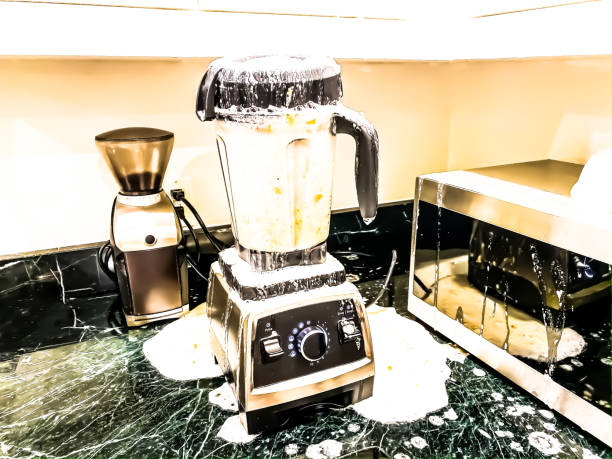
How To Use The Ninja Blender
Ready to unlock the full potential of your Ninja blender? Whether you’re whipping up silky smoothies, crushing ice for frozen drinks, or blending soups, getting the hang of your new appliance is easier than you think. From assembly to cleaning, we’ve got you covered with simple tips to make blending a breeze.
How to Use the Ninja Blender: A Step-by-Step Guide
Assembling Your Ninja Blender Correctly
Before you start blending, it’s crucial to assemble your Ninja Blender properly to avoid leaks or mishaps. Begin by placing the pitcher or cup onto a flat, stable surface. Ensure the blade assembly is securely attached by twisting it onto the container until it clicks into place.
Next, align the pitcher with the base and lock it firmly; most models require you to rotate it until you hear a distinct click. This step ensures the blender won’t operate unless everything is safely secured. Double-check that the lid is tightly sealed, especially for hot liquids, to prevent splatters.
Proper assembly not only guarantees safety but also ensures consistent blending results every time.
Loading Ingredients in the Right Order
Loading ingredients correctly makes blending smoother and protects your machine’s motor. Start by adding liquids first, such as water, milk, or juice, as this helps the blades move freely. Next, add soft ingredients like yogurt or fresh fruits, followed by harder items like frozen vegetables or ice cubes.
Avoid overfilling the container; most Ninja Blenders have a max fill line you shouldn’t exceed. If you’re making smoothies, layering leafy greens near the blades ensures they’re fully blended. This order prevents chunks and reduces the need to stop and scrape the sides, saving you time and effort.
Selecting the Right Speed or Program
Choosing the correct speed or program is key to achieving your desired texture. Ninja Blenders often come with preset programs like Smoothie, Ice Crush, or Puree, which automate speed and time for consistent results.
For manual control, start at a low speed to break down ingredients, then gradually increase to high speed for a smoother finish. If you’re making chunky salsas or dips, pulse mode is your best friend—it gives short bursts of power for precise control.
Avoid running the blender continuously for too long, especially with frozen ingredients, to prevent overheating. Experiment with settings to find what works best for your recipes.
Safely Blending and Pouring Your Creation
Once you’ve loaded the ingredients and selected a setting, it’s time to blend safely. Never remove the lid while the blender is running—always wait for the blades to come to a complete stop. If you need to stir, use a tamper tool (if included) or pause the blender first.
For hot liquids, vent the lid slightly to release steam and avoid pressure buildup. When pouring, use the spout or pour cap to prevent spills. If you’re using a personal cup, detach it carefully from the base and enjoy your drink straight from the cup.
Always unplug the blender before cleaning to ensure safety.
Mastering the Different Blending Modes
Using Auto-IQ Programs for One-Touch Blending
The Auto-IQ programs on your Ninja Blender are designed to take the guesswork out of blending. These pre-set cycles combine pulsing, pausing, and blending to deliver consistent results for specific tasks like smoothies, frozen drinks, or dough.
Simply press the button corresponding to your desired program, and the blender does the rest—no need to monitor it manually. For example, the ‘Smoothie’ setting ensures a perfectly creamy texture by blending at varying speeds, while the ‘Ice Crush’ mode powers through frozen ingredients with ease.
Just add your ingredients, secure the lid, and let the machine handle the rest. It’s perfect for busy mornings when you want a quick, hands-free solution. Remember to follow the maximum fill lines to avoid overloading, which can affect performance.
Manual Speed Control: Low vs. High
When you need more control, the manual speed settings are your go-to. Use the Low speed for delicate tasks like mixing sauces, chopping soft ingredients, or emulsifying dressings. It’s gentler and prevents over-processing. For tougher jobs, switch to the High speed to power through frozen fruits, nuts, or ice cubes.
Start slow and gradually increase speed to avoid splashing, especially with hot liquids. The manual mode is also great for achieving custom textures—pulse a few times for chunky salsa or blend longer for smooth soups.
Experimenting with these settings lets you fine-tune your results, whether you’re making a thick nut butter or a silky puree. Just keep an eye on the mixture and stop when you reach your desired consistency.
When to Use the Pulse Function
The pulse function is a versatile tool for precise control over your blending. Unlike continuous blending, pulsing lets you short bursts of power, ideal for chopping vegetables, crushing ice into coarse snow, or mixing batters without overdoing it.
It’s perfect for achieving chunky textures, like in guacamole or salsa, where you want some pieces intact. The pulse also helps dislodge stuck ingredients by giving the blades a quick boost of power. Use it to fold in mix-ins like chocolate chips or nuts without turning them into mush.
For best results, press and release the pulse button in short intervals, checking the consistency between pulses. This hands-on approach gives you total command over the final texture, making it a must-try for creative recipes.
How to Clean and Maintain Your Ninja Blender
Cleaning with the Self-Clean Function
Using the self-clean function on your Ninja Blender is a game-changer for daily maintenance. Start by pouring warm water into the container, adding a drop of dish soap, and securing the lid tightly.
Select the self-clean cycle or pulse setting for 30 seconds to let the powerful blades do the work. This method is perfect for quick cleanups after smoothies or shakes. Rinse thoroughly with water to remove any soap residue.
For best results, clean immediately after use to prevent food from drying on the blades. Avoid running the blender for more than a minute during this process to prevent overheating. Always unplug the blender before disassembling for safety.
Regular use of this feature keeps your blender fresh and ready for your next recipe, making cleanup almost effortless. It’s the fastest way to maintain your appliance without scrubbing.
Hand Washing the Blades and Containers
For a deeper clean, hand washing is essential, especially for the blades and containers. Fill your sink with warm, soapy water and carefully remove the sharp blades by twisting them counterclockwise.
Use a sponge or brush to clean the blades and container, paying extra attention to crevices where food might hide. Avoid using abrasive scrubbers that could damage the plastic or dull the blades. Rinse everything thoroughly and let it air dry completely before reassembling.
If you’re cleaning the pitcher or cups, a bottle brush can help reach the bottom corners. Never put the blade assembly in the dishwasher unless the model specifically allows it, as high heat can warp the plastic.
Regular hand washing extends the life of your blender and ensures it stays safe and hygienic for daily use. Always handle blades with caution to avoid cuts.
Removing Tough Stains and Odors
Stubborn stains or lingering odors from ingredients like garlic or berries can be tackled with simple household items. Fill the container with warm water and add a mixture of baking soda and vinegar or a lemon slice. Let it sit for 15-30 minutes to break down residues.
Run the blender on low speed for a few seconds, then scrub gently with a sponge if needed. For persistent stains, a paste of baking soda and water works wonders—apply it, let it sit, and scrub. Rinse thoroughly to remove any cleaning agents.
Avoid using bleach or harsh chemicals, as they can damage the plastic and leave harmful residues. To prevent odors, always clean the blender right after use and store it with the lid slightly ajar for airflow. These tips keep your blender looking and smelling fresh, ready for any recipe.
Troubleshooting Common Ninja Blender Issues
Preparing the Can Opener and Power Source
Start by finding a flat, stable surface like a countertop to place your electric can opener. Ensure the appliance is unplugged before positioning it to avoid any accidental starts. Check the power cord for wear and verify there is a reachable electrical outlet nearby.
Once situated, plug the device in and locate the magnetic lever or handle, lifting it upright to expose the cutting wheel and gear. If your specific model has a removable blade, make sure it is clicked into place securely.
Doing a quick visual check ensures everything is ready for safe and efficient operation.
Positioning the Can Correctly Against the Blade
Grab your can and hold it level with the device, preparing to align it with the mechanism. You need to position the can rim directly underneath the cutting wheel so it sits securely in the groove.
Apply gentle upward pressure until you feel the rim snap into place between the drive gear and the cutter. Ensure the magnet touches the top of the lid, as this will hold the metal once it is sliced.
Keeping the can straight is vital; if it is tilted, the machine might struggle to grip the metal properly.
Activating the Opener and Rotating the Can
With the can in place, press down on the lever or handle to start the motor. You should hear the device engage as the blade begins to puncture the lid.
At this point, you can usually take your hands off the can and let the electric motor do the heavy lifting. The can will automatically rotate while the blade slices through the metal. Stay nearby and watch the process to ensure everything runs smoothly.
If the can stops turning, check alignment or press down slightly more firmly on the lever to maintain contact with the gear.
Releasing the Lid and Removing the Can Safely
Once the rotation stops and the lid is fully cut, lift the handle to disengage the mechanism. The sharp lid should remain attached to the magnet, keeping your fingers safe from accidental cuts. Carefully remove the can from the machine, setting it aside for your recipe.
To dispose of the lid, simply pull it off the magnet or use a utensil to slide it off into the trash. Avoid touching the edges with your bare hands. Unplug the unit after use to save energy and keep your kitchen safe.
Using Specific Ninja Blender Attachments
How to Use the Single-Serve Cups
Using the Ninja blender’s single-serve cups is perfect for quick, on-the-go smoothies or shakes. Start by adding your ingredients directly into the cup, ensuring liquids go in first to help blade rotation. Avoid overfilling—leave about an inch of space at the top to allow blending without spills.
Once filled, screw the blade assembly tightly onto the cup, then flip the entire assembly onto the motor base. Align the cup’s tabs with the base’s grooves and press down firmly to activate the blender. For consistent results, pulse a few times before blending continuously.
After blending, carefully remove the cup, unscrew the blade, and enjoy your drink straight from the cup. Always rinse the blade and cup immediately after use to prevent residue from hardening. This attachment is a game-changer for busy mornings!
Tips for the Food Processor Attachment
The food processor attachment transforms your Ninja blender into a versatile kitchen tool for chopping, slicing, and shredding. First, attach the processing bowl to the motor base, ensuring it clicks into place securely.
For chopping, place ingredients in the bowl and use the pulse setting for better control—this prevents over-processing into mush. When slicing or shredding, use the feed tube to guide vegetables like carrots or zucchini, applying gentle pressure. For even results, cut larger items into uniform chunks before processing.
Avoid overcrowding the bowl; work in batches if needed. Clean the blade and bowl promptly after use, either by hand or in the dishwasher (if compatible). This attachment saves prep time for salads, soups, and more!
Utilizing the Dough Blade for Baking
The dough blade is designed to handle heavy mixing tasks like bread, pizza, or cookie dough. Start by attaching the dough paddle to the processing bowl, then add dry ingredients like flour and yeast.
Turn the blender on low speed and slowly pour in wet ingredients (e.g., water or eggs) through the feed tube. Let the dough mix for 30–60 seconds until it forms a ball. If the dough is too sticky, add a tablespoon of flour; if too dry, sprinkle water.
Avoid overmixing, as this can toughen the dough. Once done, remove the dough and knead briefly by hand before shaping. This attachment is ideal for bakers who want quick, consistent results without manual effort!
Best Recipes to Try with Your Ninja Blender
Making Smooth Smoothies and Frozen Drinks
To make perfect smoothies, start by adding liquids like water, milk, or juice first to help the blades spin freely. Then toss in your favorite fruits, vegetables, and ice cubes.
For best results, pulse the blender a few times to break up large chunks before switching to high speed for a smooth finish. If you’re making frozen drinks like margaritas, use crushed ice or the blender’s frozen drink setting if available.
Don’t forget to scrape down the sides with a spatula if ingredients get stuck. This ensures an even texture and prevents over-processing. Experiment with combinations like strawberry-banana or green smoothies with spinach and apple. With the Ninja blender, you can enjoy restaurant-quality drinks right at home in minutes.
Just remember to blend in short bursts for optimal control over thickness and consistency.
Creating Creamy Soups and Sauces
Your Ninja blender is a powerhouse for making silky soups and sauces. Start by cooking your vegetables or aromatics, then let them cool slightly before blending. For soups, add the cooked ingredients along with broth or cream into the blender jar.
Secure the lid tightly and blend on high until smooth. If you’re making a sauce like marinara or pesto, add fresh herbs, garlic, and olive oil gradually while the blender runs. This helps emulsify the mixture for a rich, creamy texture.
Be cautious with hot liquids—only fill the jar halfway and vent the lid to release steam. Always start on low speed and gradually increase to avoid splashes. Whether it’s a velvety tomato soup or a zesty cheese sauce, your Ninja blender delivers professional results every time.
Preparing Nut Butters and Homemade Hummus
For homemade nut butter, add roasted nuts like peanuts or almonds into the blender. Process on high, stopping occasionally to scrape down the sides and push the mixture toward the blades. This may take a few minutes as the nuts release oils and turn creamy.
Add a pinch of salt or honey for flavor if desired. For hummus, combine chickpeas, tahini, lemon juice, garlic, and olive oil. Blend until smooth, adding water or more tahini to reach your preferred consistency. The Ninja blender’s powerful motor makes it easy to achieve smooth textures without lumps.
Both nut butters and hummus are great for meal prep and stay fresh in the fridge for weeks. Experiment with different nuts or spices like cumin and paprika to customize your creations. Enjoy healthier, tastier spreads without preservatives or additives.
Safety Tips for Optimal Performance
Handling the Sharp Blades Safely
When using your Ninja blender, always prioritize safety by handling the blades with extreme care. The blades are incredibly sharp to ensure smooth blending, so avoid touching them directly with your fingers, even when the blender is unplugged.
To clean or assemble, hold the blade assembly by the plastic base rather than the metal edges. If you need to remove stuck food, use a spatula or brush instead of your hands. Always unplug the blender before performing any maintenance or cleaning to prevent accidental activation.
Remember, proper handling not only protects you from injury but also extends the lifespan of your blender by keeping the blades in top condition. Taking these small precautions ensures a safe and efficient blending experience every time you use your Ninja blender.
Avoiding Overfilling the Container
To get the best results from your Ninja blender, never overfill the container beyond the recommended maximum fill line. Overfilling can cause leaks, uneven blending, or even strain the motor. For liquids, leave at least one-third of the container empty to allow room for expansion.
For thicker mixtures like frozen fruit or nut butter, fill only halfway to ensure proper circulation. Underfilling slightly is always better than overfilling, as it gives the blades enough space to work efficiently. If you’re making large batches, consider blending in smaller portions to maintain performance.
Paying attention to these guidelines not only prevents messes but also ensures consistent texture and prevents motor wear, keeping your blender running smoothly for years to come.
Ensuring Proper Locking Mechanisms
Your Ninja blender won’t start unless the components are correctly locked in place, so always double-check the locking mechanism before blending. Ensure the lid is securely snapped onto the container, and the container itself is properly seated on the motor base.
Listen for a click or check for alignment markers to confirm everything is locked. If the blender doesn’t turn on, realign the parts rather than forcing it, as this can damage the mechanism. Proper locking not only activates the safety feature but also prevents spills and accidents during operation.
Taking a moment to verify the setup ensures smooth, worry-free blending every time. This simple step is crucial for both safety and optimal performance, so make it a habit before every use.
Frequently Asked Questions
How do I assemble the Ninja blender?
Place the blade assembly onto the pitcher or cup, ensuring it clicks into place. Secure the lid tightly, aligning the arrows or tabs, then attach the container to the motor base by twisting it clockwise. Ensure the handle is aligned with the front of the blender for proper locking.
How do I start the Ninja blender?
Plug in the blender and press the power button to turn it on. Select your desired speed or Auto-iQ program by pressing the corresponding button. Pulse by holding the ‘Pulse’ button for short bursts or let it run continuously for blending.
How do I clean the Ninja blender?
For a quick clean, add warm water and a drop of dish soap, then run the blender on high for 30 seconds. Rinse thoroughly with water and let it air dry. For stubborn stains, use a sponge and mild detergent, avoiding abrasive cleaners.
Can I blend hot liquids in the Ninja blender?
No, do not blend hot liquids as the pressure can build up and cause the lid to pop off, leading to spills or burns. Allow hot ingredients to cool before blending or use a blender specifically designed for hot foods. Always follow the manufacturer’s guidelines for temperature limits.
How do I troubleshoot a Ninja blender that won’t turn on?
Ensure the blender is plugged in and the lid is securely locked, as most models won’t start without proper assembly. Check if the motor base is overheated and let it cool for 15-20 minutes. If the issue persists, inspect for any visible damage to the power cord or components.
What is the difference between the ‘Blend’ and ‘Pulse’ settings?
The ‘Blend’ setting provides continuous blending at a consistent speed, ideal for smoothies and purees. The ‘Pulse’ setting offers short bursts of power, useful for chopping or controlling the texture of chunkier ingredients. Pulse allows for more precise control over the blending process.
How do I safely remove the blade assembly?
After blending, unplug the blender and carefully remove the lid. Use a towel or oven mitt to grip the blade assembly by the center hub, avoiding the sharp edges. Twist counter-clockwise to unlock and lift the blade assembly away from the container.
Conclusion
Ready to unlock the full potential of your Ninja blender? Whether you’re whipping up silky smoothies, crushing ice for frozen drinks, or blending soups, getting the hang of your new appliance is easier than you think. From assembly to cleaning, we’ve got you covered with simple tips to make blending a breeze.